
How to scrape real estate listings to Excel (free, no code)
Comparing a market, tracking price drops, or building a shortlist? Turn a property search into a clean spreadsheet — price, beds, baths, size, address and link — free and without code.
Whether you’re comparing a neighbourhood, tracking price drops, or building a shortlist for a client, a property search already has everything you need — price, beds, baths, size, address, days on market — but it’s locked inside cards you can’t sort, filter or chart. Getting it into a spreadsheet by hand is a slog, and most portals don’t give you an easy way out.
This guide shows you how to scrape real estate listings into Excel, CSV or Google Sheets, without code, using the free Grabby web scraper Chrome extension. It also covers what the major portals actually allow, how that compares to building your own scraper or licensing data properly, and how to keep a running view of a market over time.
Who this guide is for
- Investors scanning a market for deals, price drops or specific property types faster than the portal’s own filters allow.
- Agents and brokers pulling comps for a listing presentation or a client’s search.
- Buyers building a personal shortlist across several searches and tracking which ones change price.
- Analysts and researchers watching inventory, pricing or days-on-market trends in a specific area.
Is it allowed to scrape property portals?
Be honest with yourself here: major real-estate portals treat automated collection as something to actively block, not a grey area they’re indifferent to. A few concrete points worth knowing:
- Zillow shut down its public API entirely in September 2021. What used to be an official, sanctioned way to pull listing data no longer exists for the general public — remaining access runs through narrow, vetted partner programs (Bridge Interactive), not self-serve signup.
- Zillow, and several other large portals, run active bot detection. Automated traffic that looks non-human can be rate-limited or blocked, and their terms of service prohibit using bots or scrapers to access or collect their data without permission.
- Redfin has no general-purpose public API for pulling individual listings either. It does publish aggregate, anonymised market-trend data (median price, inventory, days on market by metro) through its own Data Center, which is a legitimate route for market-level stats rather than row-by-row listings.
- The “official” route for real listing data is MLS licensing, typically via the RESO Web API standard that most MLSs now support — but that access is gated to real-estate professionals and vetted software vendors who sign a data-use agreement with the local MLS, not something an individual can sign up for casually.
- Realtor.com sits on top of the same MLS feeds and, like Zillow and Redfin, expects visitors to browse rather than script their way through the site — there is no public, self-serve API for pulling its listings either.
Because Grabby reads the page you’ve already loaded in your own browser, at your own pace, it behaves far more like a person browsing than an aggressive bot hammering a server — but that doesn’t make every portal’s terms disappear. Keep your usage modest, pull only the pages and areas you actually need, avoid scraping at a scale or speed no human would browse at, and review each portal’s terms before relying on this for anything beyond personal research or your own client work. This is a how-to, not legal advice.
No-code vs Python vs MLS/API access vs paid data
There are four realistic ways to turn property listings into structured data:
| Approach | Cost | Coverage | Freshness | Effort | ToS risk |
|---|---|---|---|---|---|
| No-code browser tool (Grabby) | Free in early access | Any portal you can browse, list and detail pages | As fresh as your last run | Minutes, point-and-click | Behaves like normal browsing; still review each portal’s terms and keep volume modest |
| Custom Python / Scrapy / Selenium script | Free to build, but proxies and anti-bot bypass services add real cost at scale | Whatever you code for; breaks whenever the portal changes its markup or bot defenses | As fresh as you choose to re-run it | Days to build against active anti-bot protection, then ongoing maintenance | Higher — major portals actively detect and block scraping traffic |
| MLS / RESO Web API licensing | Licensing fees plus MLS/vendor onboarding, typically for real-estate professionals and software vendors | Full, authoritative listing data for the MLS you’re licensed with | Near real-time, direct from the source of truth | A formal agreement and technical onboarding with the MLS or its vendor | Lowest — fully sanctioned access |
| Paid real-estate data providers (aggregators, dataset vendors) | Usage-based, often meaningful at volume | Broad, pre-aggregated coverage across markets | Depends on the provider’s refresh schedule | Low — you consume an API or a dataset | Shifts to the provider, but check what you’re licensed to do with the data downstream |
What you’ll need
- Google Chrome, Microsoft Edge, or Brave.
- The free Grabby extension — no account, no API key, runs locally.
- A property search results page on the portal you use, with your filters already applied.
Step 1: Run and filter your search
Search the portal for your area and apply filters — price range, beds, baths, property type, status. A tighter search up front means a cleaner dataset later. Scroll once so the first page of listings has finished loading before you start.
Step 2: Select the results list
Click the Grabby icon, choose Scrape List, then Select the list and click any one property card. Grabby highlights the whole repeating set and captures them all with a live preview — price, beds, baths, size, address, status, days on market where shown, the photo, and the link to each listing.
Step 3: Load every result — pagination or infinite scroll
Some portals paginate with numbered pages; others load more listings as you scroll, or reload results as you pan a map. Grabby covers both patterns: choose Pagination and point at the next-page control once, or choose Auto-scroll for a feed. Set a sensible maximum, then Start. Grabby walks each page and collects every listing — keep the maximum reasonable so you’re not pulling far more than you’ll actually use.
Step 4: Pull full property details with detail-page scraping
The results list is a summary. Full descriptions, interior and exterior features, HOA and tax figures, listing history and agent or broker contact details usually live on the individual listing page. Hand Grabby the column of listing links you already captured, and it opens each one, pulls the fields you point at, and merges them back into the matching row — turning a list of cards into a genuine property dataset.
Step 5: Clean up in the editable table
In the editable table, sort by price or size, remove duplicate listings (relistings and syndication across sections of a site both cause repeats), delete empty rows or columns you don’t need, and rename headers so the sheet is ready to share or filter.
Step 6: Export to Excel, CSV, JSON — or Google Sheets
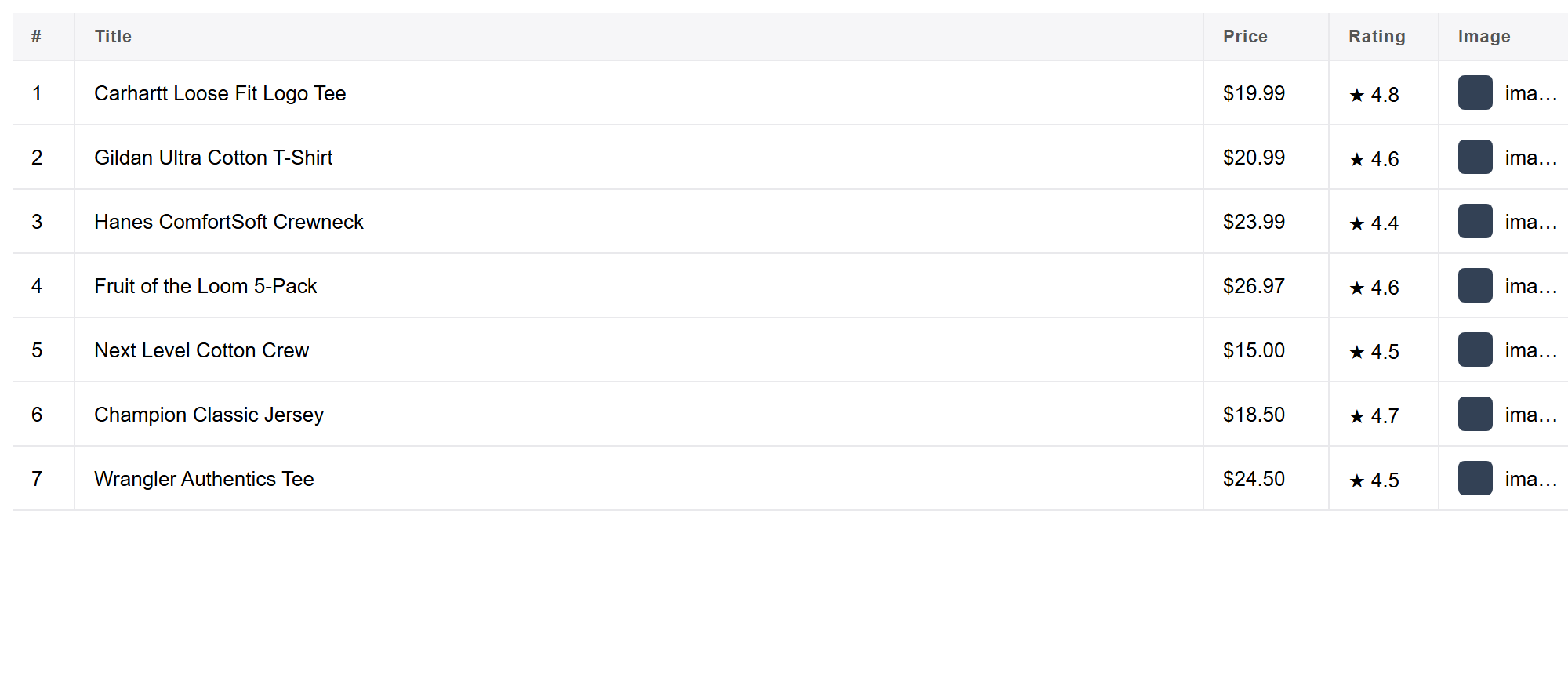
Export to CSV, Excel-ready TSV or JSON, or copy the table straight into Google Sheets. Now you can filter and compare the whole market in one place. Everything runs locally — nothing is uploaded in between.
Going further: price parsing, dedup and refresh cadence
Turn prices into real numbers. Listings show price as formatted text (“$425,000”, “$1.2M”), which sorts and filters badly as-is. Once it’s in a spreadsheet, strip the currency symbol and commas and expand shorthand like “M” or “K” into a plain numeric column (Excel’s Text to Columns or a SUBSTITUTE/VALUE formula both work), so price-per-square-foot and sorting actually work.
Dedupe across searches. The listing link, or the address if the link changes between visits, is a reliable unique key. Combine exports from repeated searches and drop duplicate rows on that column before you analyse anything.
Set a refresh cadence for price-drop and new-listing tracking. Re-run the same saved search on a schedule that matches how fast your market moves — daily or every few days for a hot area you’re watching closely, weekly for general market monitoring. Compare price and status columns against your last export to flag price cuts, status changes (active back to pending, or vice versa), and brand-new listings. A rising days on market figure alongside a price cut is one of the clearest signals a seller is motivated.
Go area-by-area. Most portals cap how many results a single search returns. Rather than one huge citywide query, run separate, narrower searches by zip code or neighbourhood and merge the exports — you get fuller coverage, and each individual pull stays small and fast.
Real-world use cases
- Investors screening a market for underpriced or stale listings across several searches at once.
- Agents assembling comps for a CMA or a listing presentation without retyping every figure by hand.
- Buyers tracking a personal shortlist and catching a price drop the moment it happens.
- Analysts charting inventory, median price or days-on-market trends for a specific area over time.
- Property managers and landlords pulling rental comps to sanity-check asking rent against similar units nearby.
Frequently asked questions
Is it really free? Yes. Grabby is free while in early access, with every feature unlocked and no sign-up. It runs locally in your browser.
Which property fields can I capture? Whatever the results show: price, beds, baths, square footage, address, listing status, days on market, agent or broker where visible, the photo, and the link.
Can I pull full property details from each listing page too? Yes — detail-page scraping follows the link column and merges description, features and other fields back into each row.
Can I collect every page of results? Yes. Use Pagination or Auto-scroll with a maximum you set, and Grabby walks the full result set.
Do property portals like Zillow block scraping? Several run strong anti-bot protection and restrict automated collection in their terms; Zillow shut its public API down entirely in 2021. Keep runs modest and review each portal’s terms. Not legal advice.
Can I track price drops and days on market over time? Yes — re-run the same search on a schedule and compare price and status against your last export, using the listing link or address as the key.
Does Grabby bypass CAPTCHAs or anti-bot protection? No. It only reads pages already loaded in your own browser; a block or challenge is a signal to slow down.
Can I export to Google Sheets? Yes — copy the table into a sheet, or export CSV, Excel-ready TSV or JSON and import it.
More data-collection guides
The same select, paginate, clean and export flow works on any list. See how to scrape any website to Excel, push results straight into Google Sheets, or pull a table from any web page the same way.