
How to scrape business leads from a directory (free, no code)
Turn any business directory into a lead list — names, phones, websites and emails — in a spreadsheet. Free, no code, and it runs in your own browser.

A lead list is only as good as the fields on it: business name, category, phone, website — and ideally a working email. All of that data is usually already sitting in public business directories, industry listings, chambers of commerce and marketplaces. The hard part has always been getting it out. Copying rows by hand is a soul-destroying afternoon, and most lead-gen platforms charge per contact for data that’s often sitting in plain sight on a web page.
This guide is for anyone who builds outreach lists as part of the job — sales and SDR teams prospecting a territory, agencies building a local-market list for a client, recruiters sourcing companies in an industry, and researchers or analysts mapping a market. It walks through building a full lead list — name, phone, website, category and email — from any business directory, free and without writing code, using the free Grabby web scraper Chrome extension.
How business directories are put together
Most directories — Yellow Pages–style listings, chambers of commerce, niche industry directories, review sites, even Google Maps — share the same basic shape. A search or category page shows a repeating list of businesses as cards or table rows, typically with a name, category, and sometimes a phone number or rating. Each entry links out to a fuller profile page with extra detail: a full address, hours, a website link, and occasionally a listed email. Past the first screen, directories load more results one of three ways: numbered pagination, a “load more” button, or infinite scroll as you reach the bottom of the list.
That structure maps directly onto how a no-code scraper works: grab the repeating list, walk every page it loads, and — for fields that only live on the profile or the business’s own site — follow a link column into each one.
Is it legal to scrape business leads and emails from a directory?
Short answer: collecting publicly listed business information is generally accepted practice, but two things sit on top of that — the terms of the site you’re reading, and the law that governs what you do with the data afterward, especially once a named person’s email is involved. Here’s the shape of it. This is general guidance, not legal advice — for a large or regulated campaign, check the specific terms involved and talk to a lawyer.
Public data vs. personal data. A business’s name, phone number, category and street address are business information. An individual’s named work email — [email protected] — usually still counts as personal data under the EU’s GDPR and similar laws elsewhere, because it identifies a specific person, even though you found it in a business context. A role address like [email protected] or [email protected] isn’t tied to a named individual and generally carries lower risk.
GDPR and legitimate interest. GDPR doesn’t ban collecting or using business contact data outright, but it requires a lawful basis for processing it. For B2B outreach, most companies rely on legitimate interest (Article 6(1)(f)) rather than consent — the idea being that a relevant, professional message to someone in a role connected to your offer is something they might reasonably expect. To lean on that basis properly, you’re expected to weigh your interest against the person’s rights, keep outreach relevant to their role, and give them an easy way to object (Article 21) — then honour that opt-out. Separate ePrivacy and electronic-marketing rules in the EU and UK layer additional consent requirements on top of email marketing specifically, and the details vary by country, so don’t assume one rule fits every market you sell into.
CAN-SPAM in the US. The US takes an opt-out rather than opt-in approach: you can send unsolicited commercial email, but the message needs accurate header and “from” information, a clear indication that it’s an ad, a valid physical postal address, and a working unsubscribe mechanism that you honour within 10 business days. It regulates how you email people once you have an address, not whether collecting a publicly listed one is allowed.
Terms of service. Separately from data-protection law, the directory itself may restrict automated collection in its terms. Reading a page you’ve already loaded in your own browser, at a human pace, is a very different posture from firing thousands of requests through a headless bot farm — but it doesn’t make a site’s terms disappear. Review them, keep your volumes reasonable, and don’t collect more than you need.
In practice: build the list, but treat it as leads to qualify and reach out to thoughtfully, not a blast target. Suppress anyone who opts out, prefer role addresses where they fit the message, and keep a record of why you’re contacting each business.
Three ways to build a lead list
Here’s how the no-code route stacks up against the alternatives.
| Approach | Cost per record | Freshness | Compliance | Effort |
|---|---|---|---|---|
| No-code scraper (Grabby) | Free — no per-record fee, just your time | Real-time — reads the live page you have open | You decide what to collect; still your job to use it lawfully | Minutes — point, click, paginate, export |
| Custom-built scraper | No licence cost, but real engineering time to build and maintain | Real-time until the site’s markup changes and it breaks | Nothing built in — same obligations, more moving parts | Days to build; ongoing upkeep for selectors and anti-bot changes |
| Paid lead database / email-finder | Per-credit or subscription pricing, whether contacts convert or not | Depends on the vendor’s own refresh cycle — can lag | Vendor sources the data; you’re still responsible for how you use it | Low — search and export, nothing to configure |
What you’ll need
- Google Chrome, Microsoft Edge, or Brave.
- The free Grabby extension — no account, no API key, runs locally.
- A directory or search results page for your target businesses (an industry directory, a local listing site, or a Google Maps search).
Step 1: Open the directory
Search the directory for your niche and location — “dentists in Austin”, “marketing agencies”, whatever fits your outreach. Filter on the site itself first if you can, so the list is already targeted before you scrape it.
Step 2: Scrape the list
Click the Grabby icon, choose Scrape List, then Select the list and click any one business row. Grabby highlights the whole repeating set, and one click grabs them all. It detects the columns for you: name, category, phone, address, website, rating, and the link to each profile.
Step 3: Get every page
Directories paginate. Choose Pagination and point at the next-page control once (or Auto-scroll for an infinite list, or Load more for a button-driven one), set a maximum, and hit Start. Grabby walks every page and collects each business into the same table.
Step 4: Follow into each profile for richer fields
Some fields — full address, hours, a website link — only live on the business’s own profile page, not the results list. Give Grabby the link column and it visits each profile in turn, pulling the extra fields back into the matching row. This is detail-page scraping: the list gives you the overview, the profile fills in the rest.
Step 5: Enrich with emails
This is what turns a directory dump into a real lead list. Give Grabby the website column and its built-in email extractor follows each link, opens the business’s own site, and pulls the contact email it finds — mailto: links, and text like name [at] company.com — then merges it back into the matching row. Now every lead has a name, phone, site and an email, in one table. Grabby reads what’s already published; it doesn’t guess or buy addresses, and it won’t invent one for a business that doesn’t list any.
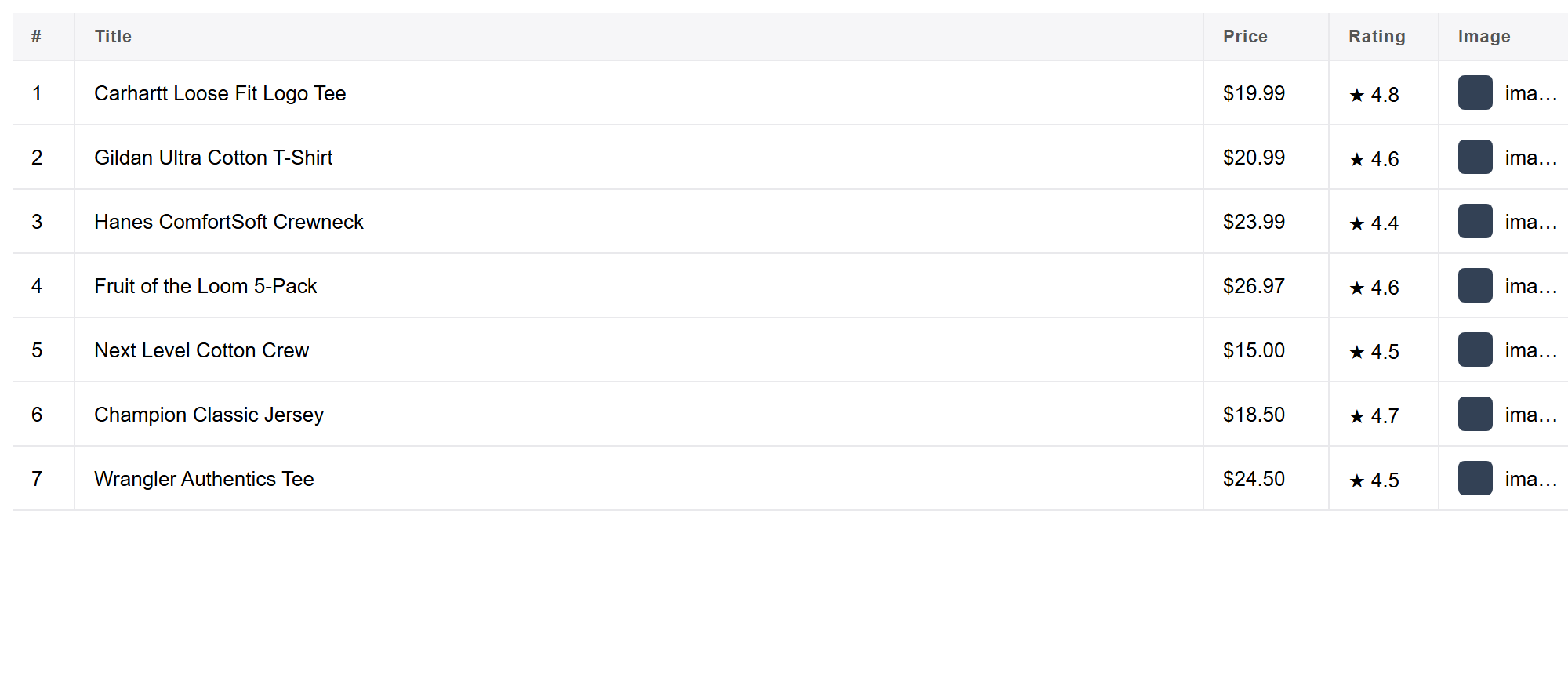
Step 6: Clean and export
Open the editable table, remove duplicates (directories love to repeat businesses across categories and pages), drop columns you don’t need, and rename headers for your CRM. Then Export to CSV, JSON or Excel (TSV), or copy straight into Google Sheets. Everything stays on your machine; nothing is uploaded anywhere.
Advanced: clean, verify and segment the list
- De-dupe by website or email, not just name. The same business often appears under two categories, or across two directories you’ve merged. Sorting by domain or email before you dedupe catches near-duplicates that a name-only check misses.
- Separate role addresses from personal ones. Split
info@,sales@andcontact@addresses from named individual addresses in their own column or tag. Role addresses are usually the safer, more scalable outreach target; personal addresses deserve a more targeted, relevant message and extra care under privacy law. - Verify before you send at volume. A scraped address can be stale — a business that closed, a domain that no longer resolves, a mailbox that was retired. Running a list through an email verification step (checking the domain and mailbox respond) before a big send protects your sender reputation; a high bounce rate is one of the fastest ways to land future emails in spam, even to good addresses.
- Segment by category and area. You already captured category and location columns — use them to split one big scrape into focused campaigns instead of one generic blast to everyone.
Who uses a scraped lead list
- Sales and SDR teams building a territory or vertical prospect list without paying per contact.
- Agencies assembling a local-market outreach list for a new client campaign.
- Recruiters sourcing companies to approach in a specific industry or region.
- Market researchers and analysts mapping how many businesses of a type operate in an area, or benchmarking a competitive landscape.
- Local SEO and citation audits that need to check name/address/phone consistency across directories.
Frequently asked questions
Is it really free? Yes. Grabby is free while in early access, with every feature unlocked and no sign-up. Everything runs in your browser.
Which fields can I get from a directory? Whatever the directory shows: business name, category, phone, address, website, rating and the link to each profile — plus emails pulled from each business’s own site.
How do I add emails to the list? Scrape the directory into a table with a website column, then have Grabby follow that column and pull the email from each site, merged back into the matching row.
Does it work on any directory? It works on virtually any directory you can browse — industry directories, chambers of commerce, local listings, Google Maps. Sites with heavy anti-bot protection may block automated extraction, and Grabby doesn’t solve CAPTCHAs.
Is it legal to scrape business leads and emails from a directory? Collecting publicly listed business information is generally accepted, but treat named work emails as personal data under GDPR, rely on a proper legal basis such as legitimate interest, honour opt-outs, follow anti-spam rules like CAN-SPAM, and review each site’s terms. (Not legal advice.)
What’s the difference between a role address and a personal address? A role address (info@, sales@, contact@) belongs to a function, not a named person, and generally carries lower privacy risk. A personal address like [email protected] identifies an individual and deserves more care in how and why you contact it.
How do I avoid emailing people who’ve opted out? Keep a suppression list of addresses that have unsubscribed or objected, and check new scrapes against it before every outreach send. Grabby doesn’t manage a suppression list itself, but you can maintain one in your spreadsheet or CRM.
Can I scrape more than one directory and merge the lists? Yes. Export each directory separately, then combine the spreadsheets and de-duplicate by website or email so the same business isn’t contacted twice.
Related lead-gen guides
Google Maps is one of the highest-value directories — see how to scrape Google Maps business leads to Excel. Yelp is another rich source for local businesses — see how to scrape Yelp to Excel. And for a closer look at adding contact addresses to any list, see how to extract emails from a website.